English
 Español
 Português


Getting Started with Yimmit: Your Crypto Journey, Simplified
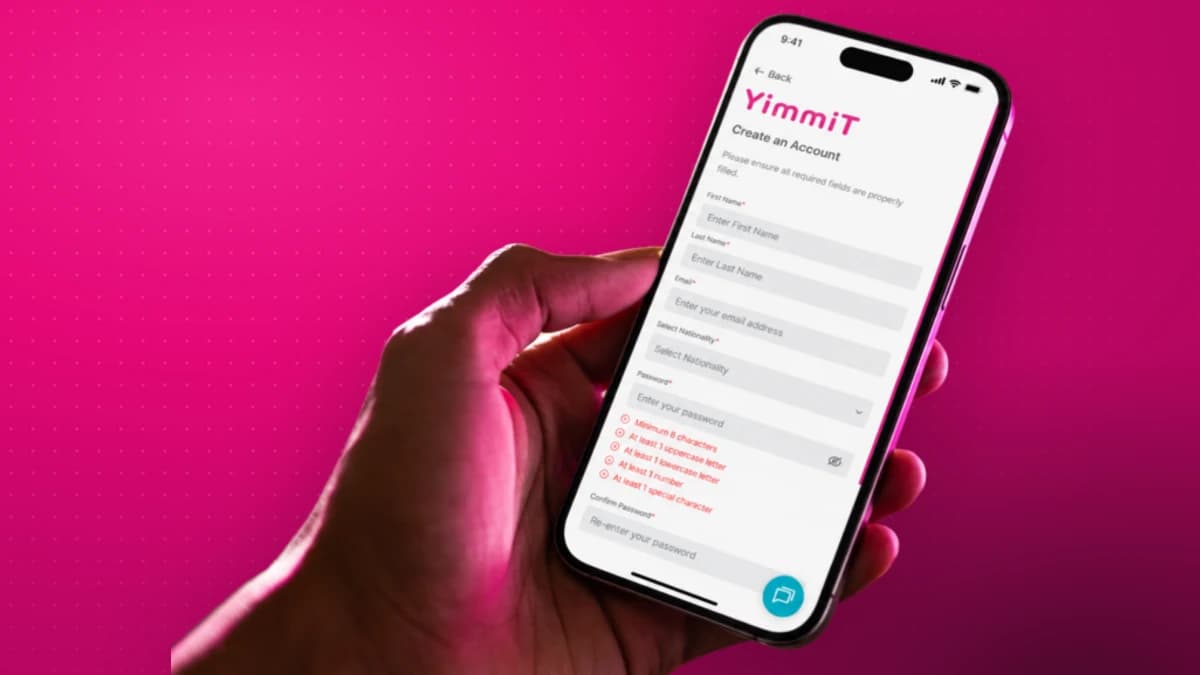
Crypto doesn't have to be complicated. Yimmit is an all-in-one crypto platform built to make buying, trading, swapping, and growing your portfolio simple. Today that means spot trading and instant swaps across major cryptocurrencies, fixed staking to earn on select assets, and 24/7 access — with the cost of each trade shown upfront before you confirm. It's a focused platform now, with more coins and products on the way.
This guide walks you through everything, start to finish: what Yimmit is, and the four simple steps to your first trade — create your account, verify it, deposit funds, and make your first swap. Each step has a short video and quick steps to follow.
Ready now? Open your account at yimmit.com →
Meet Yimmit
A 50-second look at what Yimmit is and why it exists.
What Yimmit does
Your all-in-one crypto platform — buy, swap, send, receive, and track, all in one place.
Your first trade in 4 steps
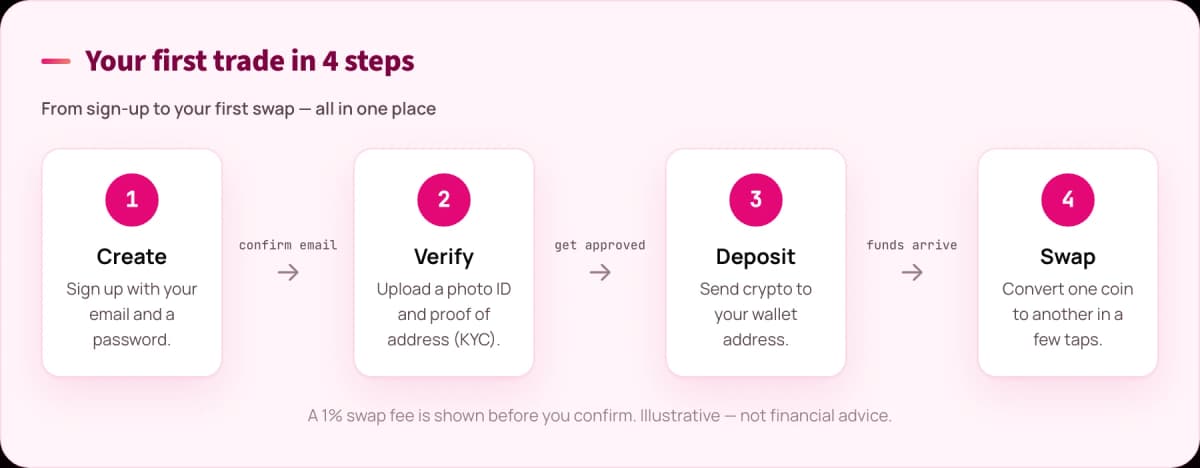
From sign-up to your first swap is four steps. Here's each one, with a video and quick steps.
Step 1 — Create your account
Head to yimmit.com, tap Sign Up, and you're a few fields away from your account. Got a referral link from a friend? Use it — your referral code fills in automatically.
Quick steps:
- Go to yimmit.com and click Sign Up (or use a friend's referral link).
- Enter your name, email, nationality, and create a password.
- Check the required boxes and click Create an account.
- Open the confirmation email and click Confirm your account (check spam/junk if you don't see it).
- Enter your phone number, then the one-time password (OTP) from the second email, and Submit.
Full transcript
In this video, we'll show you how to create your Yimmit account in just a few simple steps. First, go to yimmit.com and click Sign Up. If a friend invited you, register through the link they shared with you instead. This will automatically fill in the Referral Code field. Next, enter your name, email address, nationality, and create a password. If you were not invited by a friend, simply leave the referral code field blank. Then, check the required boxes and click Create an account. You'll receive an email right away at the email address you registered with. If you don't see it in your inbox, make sure to check your spam or junk folder. Open the email and click Confirm your account. A new page will open. Enter your cell phone number and click Continue. You'll then receive a second email with a one-time password, also known as an OTP. Copy the OTP from the email, enter it on the registration field, and click Submit. That's it. Your Yimmit account has been created. Welcome to Yimmit.
Step 2 — Verify your account (KYC)
Verification keeps your account secure and unlocks trading. Have a valid photo ID and a proof of address (a utility bill or bank statement from the last 3 months) ready.
Quick steps:
- Log in, go to My Account, add your date of birth, and continue.
- Review the consent info and click Agree and Continue.
- Start verification (powered by Sumsub) — enter your email and the code they send.
- Choose your ID document and upload a clear photo (scan the QR to continue on your phone if you like).
- Take a quick selfie and follow the prompts.
- Upload your proof of address. You'll get an email once you're approved.
Full transcript
Ready to verify your Yimmit account? Let's do it together. Before you begin, make sure you have a valid photo ID and a document showing your name and address, such as a utility bill or bank statement issued within the last three months. Log into your Yimmit account, enter your email and password, and enter the verification code sent to your email, and submit. Go to My Account in the sidebar menu. Enter your date of birth, save your information, and continue. Now you are in the verification section. Review the consent information, and if you agree, click Agree and Continue. We use a verification process to help keep your account secure. Enter your email, and click Start Verification. You'll receive another verification code by email from Sumsub. Enter the code to continue. Read and accept the terms and conditions, and click Create my account. Click Continue Verification. Choose your ID document. If you're on a desktop, you can scan the QR code to continue the verification on your phone, or complete the process on your current device. Upload the photo of your document, and continue. Next, take a quick selfie and follow the prompts so we can verify your identity. Finally, upload a document that shows your name and residential address. Once submitted, we'll review your information as quickly as possible. We'll let you know by email when you're approved and ready to make your first move. Welcome to Yimmit.
Step 3 — Deposit funds
Once you're verified, fund your account and make your first move. If you're moving coins from another wallet or exchange, it helps to understand how crypto wallets and transfers work first.
Quick steps:
- Log in and go to Portfolio — your wallet and assets live here.
- Click Deposit, then search for and select the crypto you want to deposit (see the current supported assets).
- Click Get Address — scan the QR with your exchange app, or copy the address into the platform you're sending from.
- Complete the transfer and give it a few minutes. Refresh and check Transactions to track status.
- When your funds arrive, they'll show in your portfolio. You're ready to trade or stake.
Full transcript
Your account is verified, now it's time to fund your Yimmit account and make your first move. Log in and head to Portfolio. That's where you'll find your wallet and assets. Click Deposit. Then search for and select the cryptocurrency you'd like to deposit. Click Get Address. You can either scan the QR code using your exchange app or copy the crypto address and paste it into the platform you're sending from. Complete the transfer and give it a few minutes to arrive. Refresh the page and check Transactions to track the status of your deposit. Once your funds arrive, you'll see your assets reflected in your portfolio. And that's it. You're ready to explore everything Yimmit has to offer, from placing your first trade to earning rewards through staking. Your funds are in. Now the fun begins.
Step 4 — Swap cryptocurrencies
Trade one coin for another in a few taps. New to trading crypto entirely? Start with how to start trading cryptocurrencies.
Quick steps:
- Log in and, from the home screen, select the crypto you want to swap and enter the amount.
- Choose the crypto you'd like to receive.
- Review the exchange rate, the 1% swap fee, and the amount you'll get.
- Happy with it? Click Convert Now — your new crypto lands in your portfolio when the transaction completes.
Full transcript
In this video, we'll show you how to swap cryptocurrencies using Yimmit. First, log in to your Yimmit account. From the home screen, select the cryptocurrency you want to swap and enter the amount you'd like to convert. Next, choose the cryptocurrency you'd like to receive. Before you continue, take a moment to review the exchange rate and the amount you'll receive. If you're happy with the rate, click Convert Now. That's it. Your swap will be processed and your new cryptocurrency will appear in your portfolio once the transaction is complete. Swapping cryptocurrencies with Yimmit is that simple.
What's live now (and what's coming)
Yimmit is growing fast, so here's an honest snapshot of what you can do today.
Live now:
- Spot trading — buy and sell major cryptocurrencies with market, limit, and stop-limit orders.
- Instant swaps — convert one coin to another in a few taps (a 1% swap fee applies, shown before you confirm).
- Fixed staking — earn a variable yield on BTC, ETH, and USDT over a 10, 30, or 365-day term. The rate is shown in-app before you commit; rewards aren't guaranteed. Learn more in our crypto staking guide.
- Deposit and withdraw all supported assets (withdrawal fees are shown before you confirm).
- Referrals — invite friends with your referral link and earn rewards.
Supported coins today include Bitcoin (BTC), Ethereum (ETH), USDT, BNB, Polygon (POL), and TRON (TRX) — with more being added over time.
On the roadmap: a wider coin selection, a card on-ramp, and additional products. This is just the beginning — the platform and its lineup keep expanding.
Ready to start?
That's the whole journey — sign up, verify, deposit, and trade, all in one place. Simple, safe, and fast.
Open your account today at yimmit.com →
Tip: these guides are also available in Spanish. And this is just the beginning — explore the platform and our upcoming products.
Frequently asked questions
Is Yimmit free to use? Creating an account is free. You pay per action: swap, withdrawal, and spot-trading fees are all shown before you confirm. You always see the cost before you confirm a trade — there are no hidden charges.
How many cryptocurrencies can I trade on Yimmit? Yimmit supports a focused set of major cryptocurrencies today — including Bitcoin (BTC), Ethereum (ETH), USDT, BNB, Polygon (POL), and TRON (TRX) — and adds more over time as the platform grows.
Is Yimmit safe, and what's its regulatory status? Yimmit is operated by Tradeview Financial Markets S.A.C. in Peru. As a Virtual Asset Service Provider (PSAV), it is designated an "obligated subject" under Supreme Decree No. 006-2023-JUS and is regulated by Peru's Financial Intelligence Unit (UIF-Perú) for anti-money-laundering and counter-terrorist-financing (AML/CFT) purposes. It uses institutional-grade custody and identity verification (KYC) to keep accounts secure. As with any crypto exchange, only invest what you can afford to lose.
Do I have to verify my identity (KYC)? Yes. Verification unlocks trading and helps keep your account and the platform secure. You'll need a valid photo ID and a proof of address from the last three months.
How long does verification take? Uploads take a few minutes. Review times vary — you'll get an email as soon as you're approved.
Can I earn on my crypto? Yes — Yimmit offers fixed staking on BTC, ETH, and USDT. You lock the asset for 10, 30, or 365 days and earn a variable yield shown in the app before you commit. Rewards are not guaranteed and rates change.
What's the minimum to get started? There's no large minimum to open and fund an account — you can start small. Just remember network fees apply when you move crypto in.
Risk warning. Cryptocurrency is a volatile, high-risk asset and its value can go down as well as up. Swaps, staking, and trading carry fees, and staking rewards are variable and not guaranteed. Crypto holdings are not protected by deposit-insurance schemes. This article is for educational purposes only and is not financial or investment advice. Do your own research and only invest what you can afford to lose.
This article is educational and is not financial, investment, or tax advice. Crypto assets are volatile and carry risk; do your own research and consider a licensed professional before making decisions. About our editorial process.